Every stone, remembered
Put a Turning Hearts medallion on every grave in your cemetery, with a finished memorial page behind each one, without typing a single memorial by hand.
Thousands of stories, and no one is telling them
Your cemetery holds thousands of stories that visitors walk past every day. A medallion lets anyone at a grave scan it with their phone and meet the person resting there: their life story, photos, the times they lived through and the memories their family shares.
Building those pages one at a time means looking up each person, typing names and dates, finding an obituary and adding a photo. Across a whole cemetery it never gets done. The cemetery tools do that work for you.

Less than 30 seconds at each stone
All you need is a phone and Turning Hearts QR Codes. We do the reading, the research and the writing.
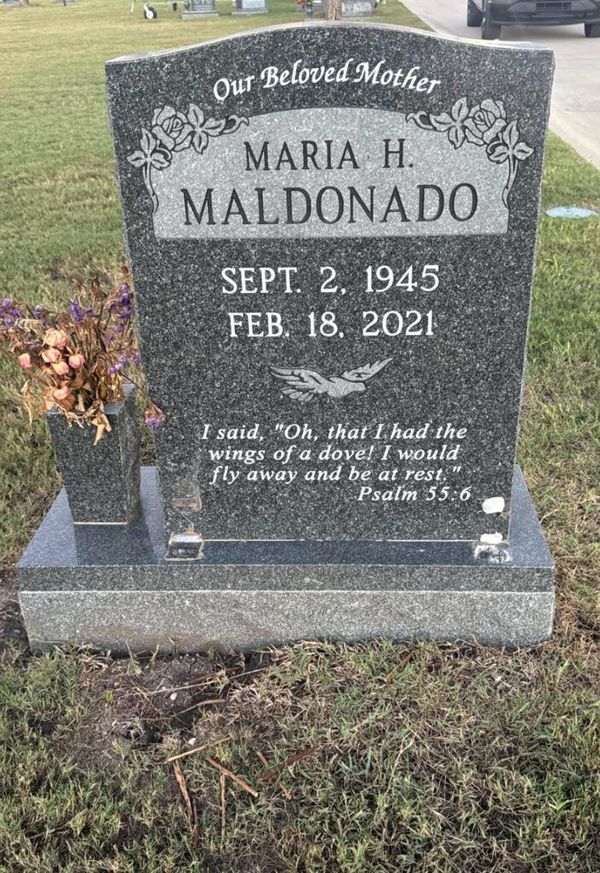
Take a photo of the headstone
We read the names, dates and inscription right off the stone, including shared stones with more than one person.
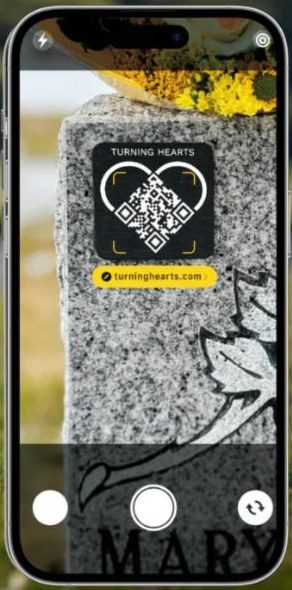
Scan the medallion
Scan the medallion you're about to place. It's linked to that grave on the spot, and your phone records exactly where the grave is.
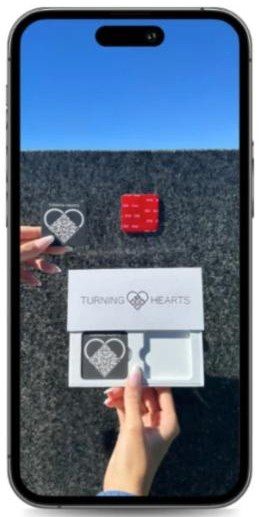
Place the medallion on the headstone
Attach it to a clean, dry spot on the stone where visitors will see it. From now on, anyone who scans it meets the person resting there.
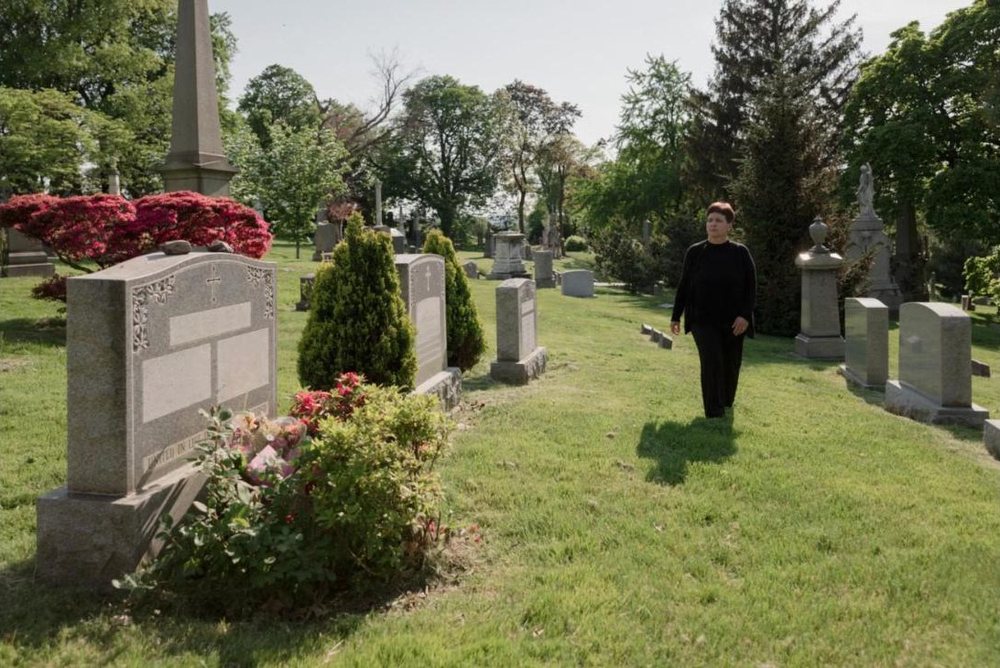
Move to the next grave
That's it for this stone. While you walk to the next one, we research the person: obituaries, life story, military service, family, and more, creating a beautiful tribute, automatically.
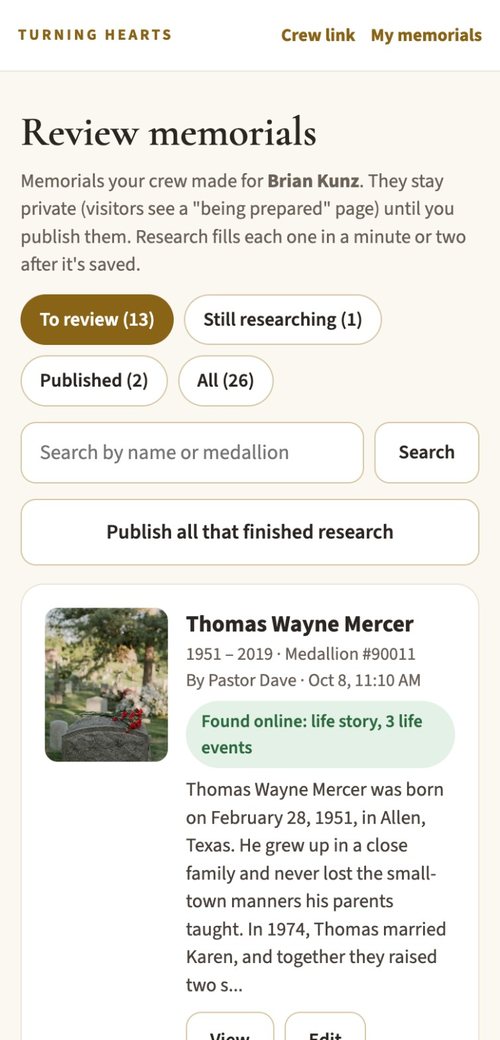
Review and publish
Every grave and our findings are waiting in your account for you to review and approve. Every grave is also catalogued with its exact location and walking directions.
Everything a cemetery needs to finish the job
Crew link
Most cemeteries choose to do this as a team: staff, volunteers, a church group, a family reunion, a local history group. Send one link by text or email. Each helper opens it on their own phone and starts scanning graves. No account, no password, no app, and every grave they scan shows up already researched and built in your account, only waiting for your approval.
A review step you control
Every memorial your crew builds waits in your Review list. You see what we found and where it came from, change anything, then publish. You decide what visitors see.
A map of every grave
Each scan saves the grave's exact location. Visitors get walking directions to the stone, and your staff can find any grave in seconds, even in sections without a good map.
Research done for you
We search obituaries and public records for each person and write a first draft of their story, with the obituary link, military service and the world events they lived through. Anything we're unsure of waits for you to decide.
Veterans honored
Veterans get their own section with branch and service, so Memorial Day and Veterans Day visits mean more, and your veterans are easy to find.
Family memories, with your OK
Family and friends can ask to add photos and memories to a memorial. You choose how open each medallion is, and requests come to you first. How it works
Families add their memories. You decide what's shared.
The memorial pages you publish are where families gather. Anyone who scans a medallion or opens a memorial can ask to share a favorite photo, a story or a few words. You stay in charge of what appears.
- 1A visitor shares a memory. A grandchild scans the medallion at the grave and taps "Share a memory" to add a photo and a few words.
- 2It comes to you first. The memory waits for you, unseen by the public. Each one is also checked automatically for anything inappropriate.
- 3You approve or decline. Approve it and it appears on the memorial for everyone. Decline it and it's never shown.
- 4Family access. You can add family access to any profile when there are families who wish to help manage their loved one's records and memories.
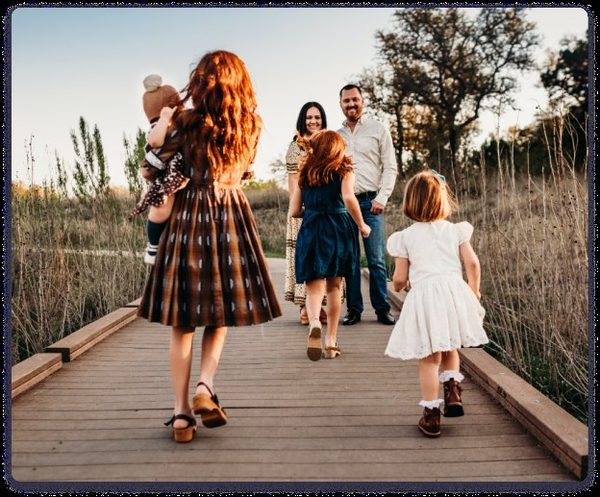
"Grandpa walked us down to the lake every Sunday after church. We still go every year on his birthday."
"I have Mom's photo albums and the family Bible. I'd love to add her wedding photos and the story of how she met Dad."
You choose how tight the security is for each medallion
Pick any of these three levels. Set one for your whole cemetery, then change a single medallion any time with one tap.
- 1A visitor taps "Share a memory" and sends a photo or story.
- 2It's checked automatically for anything inappropriate.
- 3It appears right away, and you can remove it at any time.
- 1A visitor taps "Share a memory" and sends a photo or story.
- 2It waits privately for you and is checked automatically for anything inappropriate.
- 3You approve it and it appears. Decline it and it's never shown.
- 1Visitors scan the medallion and read the memorial.
- 2The "Share a memory" button is turned off.
- 3Only you and your crew can add photos or stories.
A cemetery people come back to
Families feel cared for
When a family visits and finds their loved one's story already waiting, it's a moment they remember and talk about.
Visitors come back
History walks, school groups and genealogists can explore the whole cemetery from their phones.
Your staff saves time
Fewer calls asking where someone is buried, and records that stay with the grave.
History is kept
Stories that would have been lost are saved for the next generation.
What cemeteries ask us first
Who owns our records?
Your cemetery does. The records, photos and grave locations you add stay yours. We use them only to build your memorials, and nothing goes public until you publish it.
What if a grave doesn't have a medallion yet?
Scan it anyway. The memorial is built and saved privately at that grave, with its exact location. When a medallion arrives, link it in a few seconds and the page goes live.
Do our volunteers need an account or an app?
No. They open your crew link on their own phone, type their name and start. Everything they save goes straight into your account for you to review.
What if the research gets something wrong?
You see every finding before anyone else does, and you can change any word. When we can't find a confident match, the memorial keeps only what's on the stone.
Do visitors need an app to see a memorial?
No. Any phone camera opens the memorial page when it scans the medallion.
Have a question that isn't here? Ask for the cemetery tools and we'll set up a quick call to walk you through it.
Ask for the cemetery tools
Tell us about your cemetery. A person on our team reads every request and emails you back, usually within one business day.